Guide

Pokemon Perler Bead Patterns: Convert a Sprite You Already Own

Updated August 2026 · ~11 min

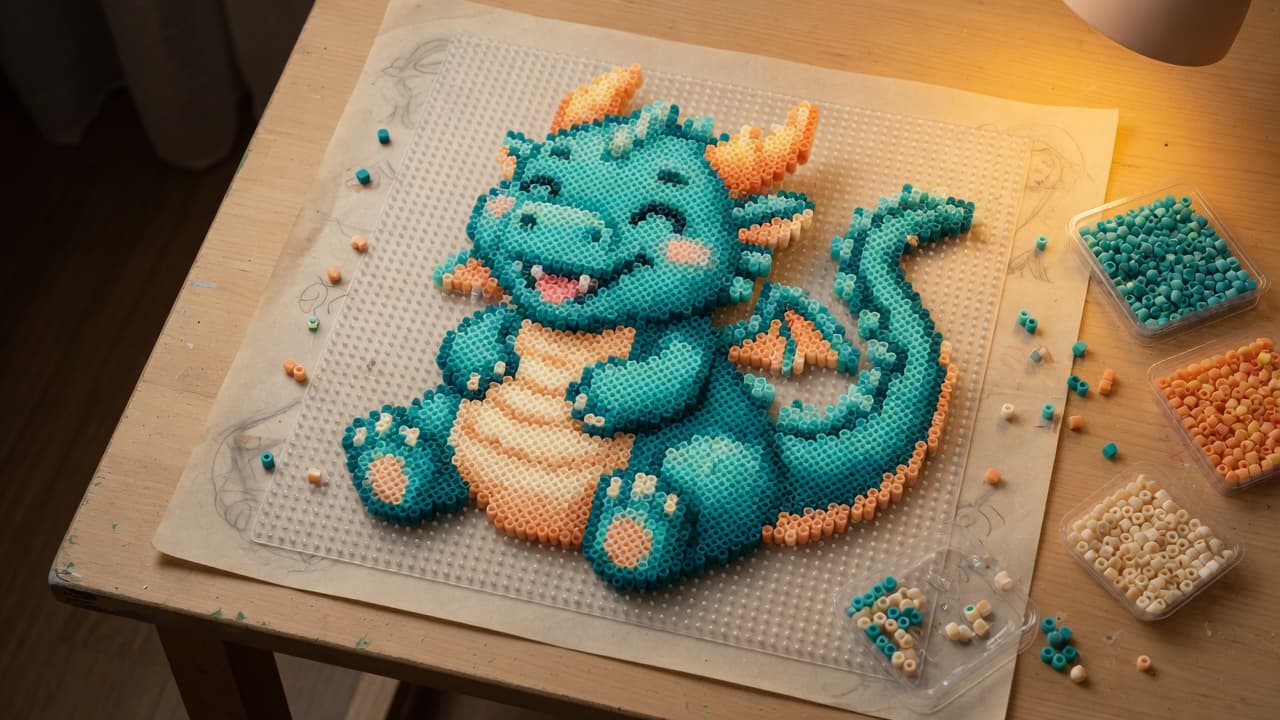
Original teal dragon fuse-bead chart on a pegboard, a copyright-safe stand-in for pokemon perler bead patterns

Quick Summary

Search for pokemon perler bead patterns usually means one job: turn a small, blocky sprite into a pegboard chart with colors you can buy. A free chart of official creatures is rarely legal to publish. The reliable path is to convert a sprite or drawing you already have rights to use, cap the palette, and export a grid plus a bead list.

Why this search is messy

Pokemon perler beads sit at the overlap of two hobbies: Nintendo-era pixel sprites and fuse-bead boards. The sprite is already a grid, so it maps more cleanly than a blurry photo. That is why perler beads pokemon queries feel easy compared with a landscape snapshot.

The catch is rights. Character art, official sprites, and most fan sheets are protected. A site that offers a free Pikachu or Charizard chart as a download is handing you a file you may not be allowed to copy, sell, or even post. The same rule applies to pokemon perler beads patterns you find as random PNGs on social apps.

If the goal is a board you can finish this weekend, skip the scavenger hunt for a leaked kit. Start from something you may use: your own drawing, a photo of a plush you own, or a sprite you created.

Hand sketch of an original dragon next to the same design as a fuse-bead grid

What a useful Pokémon-style Perler chart actually is

A useful chart is not a screenshot of a sprite sheet. It is a pegboard-sized grid where each cell is one bead, labeled with a brand code you can find in a tray.

  • A long edge that matches a real board (about 29, 50, 58, or 87 beads on many hobby kits)
  • A short palette—often far fewer colors than the original sprite
  • Outlines that survive ironing (one-cell eyes vanish; two-cell eyes still read)
  • A count list so you know whether your yellows and reds are enough before you start

Official 8-bit or 16-bit sprites are already low resolution. They still need a second reduction when the board is smaller than the sprite, or a second expansion when you want a bigger wall piece. Either way you are remapping, not printing the ROM graphic onto plastic.

Rights, in plain language (not legal advice)

This is craft practice, not a law firm memo. Character names and official art are typically owned by their publishers. Using a converter on a sprite you pulled from a wiki does not make the output yours. Selling that board, posting a downloadable pattern, or bundling it in a kit is where people usually get into trouble.

Safer inputs: a creature you drew, a photo of an object you own, or a sprite you designed in a pixel editor. Riskier inputs: official sprites, game screenshots, sticker packs, and “free pattern” dumps that clearly reproduce a trademarked character.

You can still talk about Pokémon as a search topic. You should not expect this site—or any honest tool—to ship licensed pokemon perler bead patterns as free files.

How to turn a sprite you own into pokemon-style perler beads

  1. Get a flat image. Photograph a drawing on a desk, or export a PNG from a pixel editor.
  2. Crop tight. Extra background becomes extra beads. Leave a one-cell margin if you want a frame.
  3. Pick a board size. A 29-wide board is a keychain or magnet. 50–58 keeps a face readable. 87 is a long evening.
  4. Choose the brand palette you actually own. Lists only help if they match the bag on your shelf.
  5. Cap colors. Sprites often look better at 8–20 colors than at 80 near-duplicates of yellow.
  6. Fix the face by hand. Paint or fill stray cells around eyes and mouth.
  7. Export a PNG and a shopping list. Build from the list.

Bead Pixel Art runs that loop in the browser. Photos stay on the device. It is not affiliated with Nintendo, The Pokémon Company, or Perler. RGB values on screen are a plan, not a factory match.

Open the free editor when you have a file ready.

Board sizes that keep a sprite readable

Long edgeTypical useWhat survives
29Magnet, patchSilhouette, one accent color
50Small portraitFace + two-cell eyes
58Two-board classOutline plus a few costume colors
87Wall tileMore shading, still not a screenshot

For a general craft walkthrough, use How to make Perler bead patterns. For tool choice, see the free Perler bead pattern maker.

Color: why official sprites fight bead trays

Game palettes are designed for screens. Bead lines are discrete plastics with printed codes. A sprite that uses four yellows will collapse to one or two tray yellows. That is normal.

  • Lock the outline to one dark so the shape holds after ironing.
  • Give cheeks or belly a second color only if you have at least a two-cell patch.
  • Do not chase every highlight. Ironing blends adjacent cells slightly.

Common mistakes on Pokémon-style boards

  • One-cell facial features that vanish under the iron.
  • Transparent PNG treated as a field of white beads you do not need.
  • Building from a phone screenshot of someone else’s chart—you inherit their mistakes and their rights problem.
  • Selling the finished board as a character product without permission.

FAQ

Where can I download free pokemon perler bead patterns?

You will find unofficial sheets on social platforms. Many reproduce official art. This site does not host licensed character charts. Convert a sprite or drawing you have rights to use, then export your own grid.

Can I use a game screenshot for pokemon perler beads?

A converter will map any image. Rights are a separate issue. A screenshot is still publisher art. Prefer your own drawing or a photo of an object you own.

What size board works for perler beads pokemon portraits?

Faces usually need a long edge around 50 or 58 if you want two-cell eyes. 29-wide boards are better for silhouettes and simple shapes.

Does Bead Pixel Art include official Pokémon palettes?

No. It maps to hobby bead brands (Perler-style, Hama, Artkal, MARD, Nabbi, IKEA Pyssla where listed). It is not an official Nintendo or Pokémon tool.

Will the bead colors match the sprite exactly?

No. Screen RGB is an approximation. Check codes against beads in real light before a bulk order.

Conclusion

Pokemon perler bead patterns work when you treat the sprite as a starting grid, not as a free licensed kit. Convert a file you may use, pick a board size that keeps the face, cap colors to the trays you own, and export a chart plus counts.